Create a scoped reader
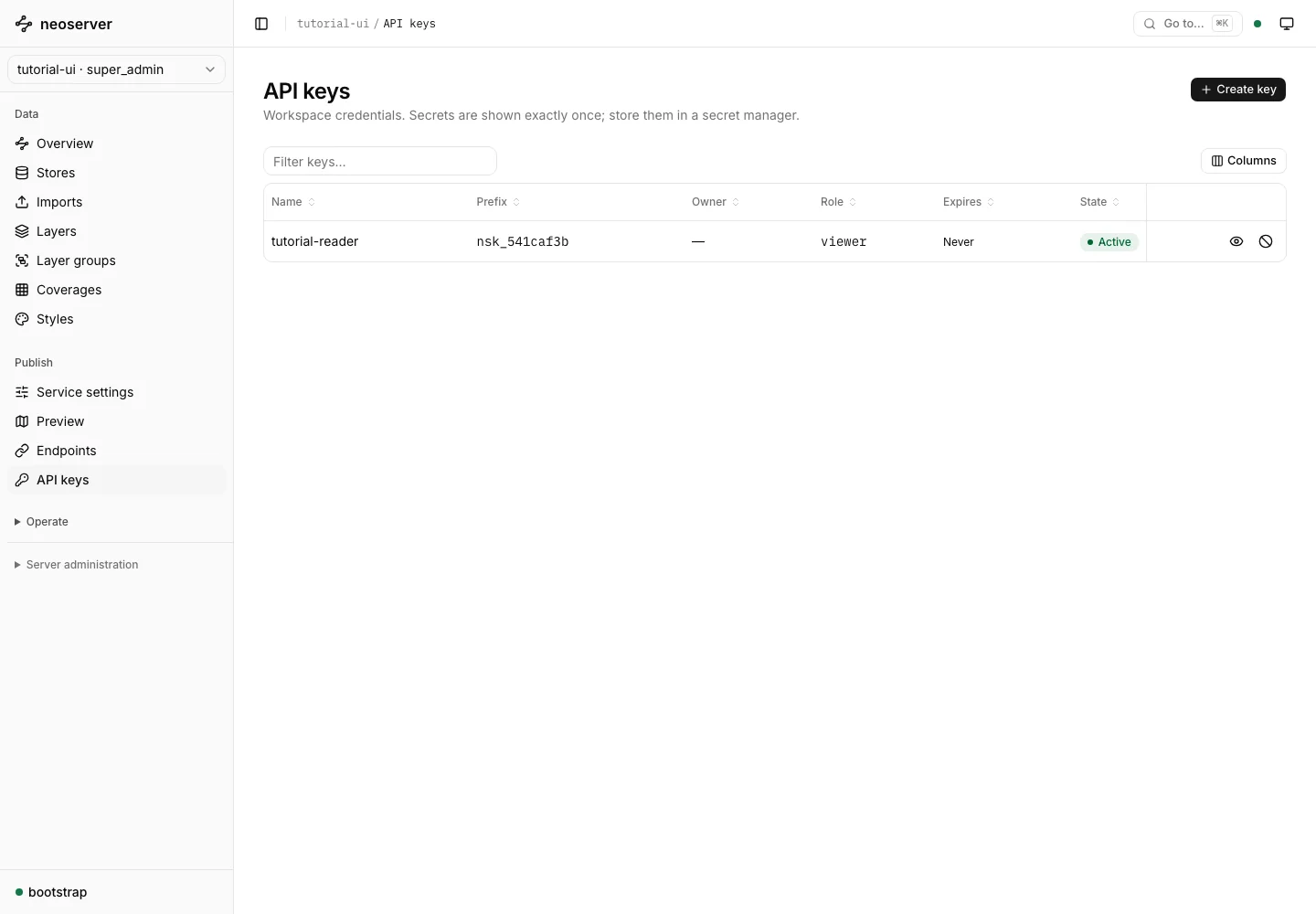
Open your workspace’s API keys page and choose Create key. Name the key tutorial-reader, select the viewer role, and choose an expiry appropriate for the application. Choose Create key in the dialog.
The secret is shown once. Store it in a password manager or the application’s secret store before confirming I have stored this key and closing the dialog. The key ID and prefix displayed later cannot authenticate a request.
Use the key in a client
Send the full secret in the X-API-Key header:
curl -H "X-API-Key: $NEOSRV_API_KEY" \
  'http://localhost:9000/workspaces/tutorial-ui/ogc/collections/places/items?limit=10'
Load NEOSRV_API_KEY from secret storage. Do not put the key into a URL, source control, or a browser application bundle. The application’s role still has to satisfy the layer’s access policy.
Revoke or rotate
Create and deploy a replacement key before revoking the old one when you need uninterrupted access. Use the row’s revoke action to stop accepting that credential. A revoked key remains visible until its permanent-delete action is used.
Revoking a key invalidates browser sessions created with it. An independent bootstrap-token session is a different credential and remains governed by its own lifetime and invalidation rules.
See stored API keys for details, and connect a client to verify the application’s actual access.